




Tektronix TBS1000C数字存储示波器
Tektronix TBS1000C数字存储示波器是为教育机构、嵌入式设计工程师和创客社区而设计的。该示波器具有7" WVGA彩色显示屏、1GS/s采样率和50MHz至200 MHz的带宽。该仪器提供了一套创新的课件系统,系统中集成了实验室习题,并有分步的说明。HelpEverywhere®系统在整个用户界面为新用户提供了有用的技巧和提示。Tektronix TBS1000C数字存储示波器提供五年期保修。
特性
- 7" WVGA彩色显示屏
- 具有15个水平分度,显示的信号增加50%
- 32个自动测量值
- 双窗口FFT同时呈现时域和频域视图
- 触发器频率计数器
- 平移和缩放功能
- 多语言用户界面,支持十种语言
- 占位面积小、重量轻
- 无风扇设计,运行噪声低
- 前面板带USB 2.0主机端口,用于数据存储
- 后面板带USB 2.0主机设备,用于连接PC
应用
- Educational institutions
- Embedded design engineers
- Maker communities
规范
- 带宽模式:200MHz、100MHz、70MHz和50MHz
- 2通道模式
- 所有通道上采样率1GS/s
- 所有通道上记录长度20k点
- 高级触发器包括脉冲触发器、矮电平触发器和线性触发器
- 五年保修
视频
正面

背面

为加速您的学习和工作而设计

The TBS1000C oscilloscopes combine features and capabilities to provide quick hands-on learning and easy operation. Dedicated front panel controls offer easy access to important settings. The graticule, with 10 vertical divisions and 15 horizontal divisions, enables users to see more signals per screen. The large menus with clearly labeled and colored information are easy to navigate. The zoom function quickly pans through the record and zooms in to view the signal details in areas of interest.
自动化测量和分析
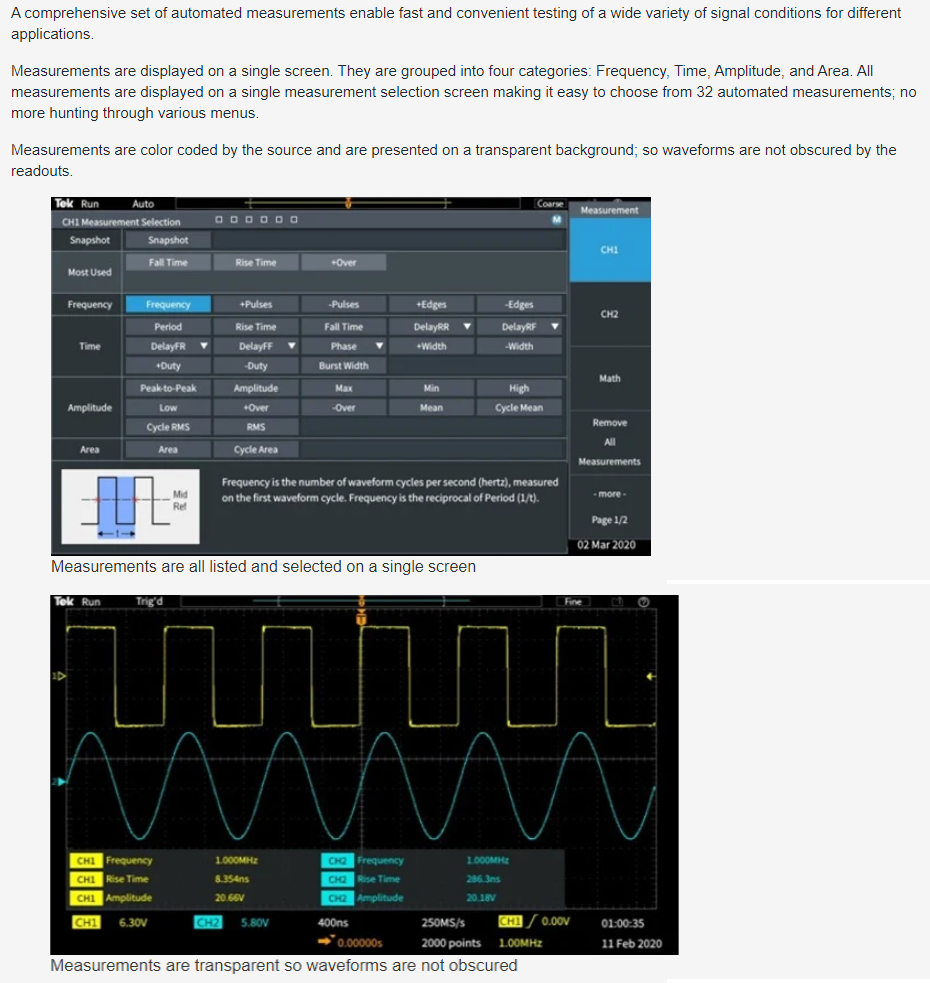
A comprehensive set of automated measurements delivers fast and convenient testing of various signal conditions for applications. Measurements are displayed on a single screen and grouped into four categories: frequency, time, amplitude, and area. All measurements are displayed on a single measurement selection screen to simplify choosing from 32 automated measurements. Measurements are color-coded by the source and displayed on a transparent background so waveforms are not obscured by the readouts.
FFT功能
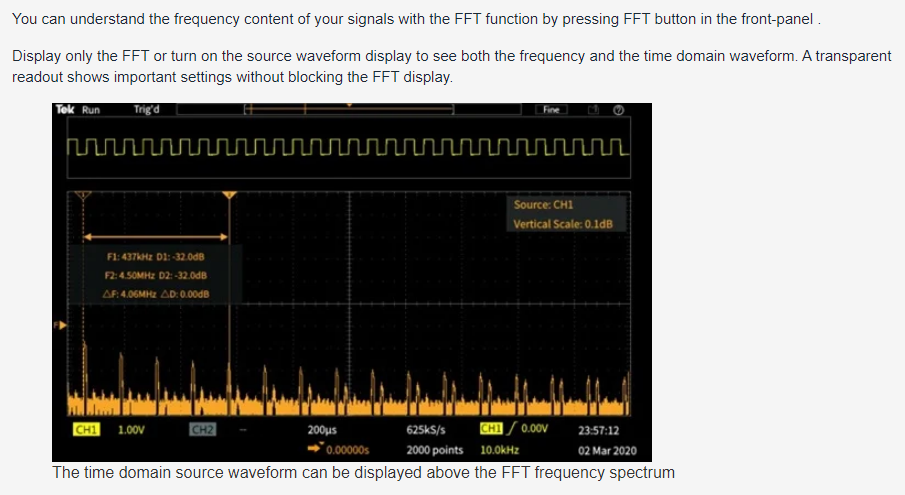
The FFT function allows users to understand the frequency content of the signals by pressing the FFT button on the front panel. Users can display only the FFT or turn on the source waveform display to view both the frequency and the time domain waveform. A transparent readout shows vital settings without blocking the FFT display.
HelpEverywhere

The HelpEverywhere system provides help text with graphics to illustrate the different settings on the instrument. This makes it easier for new users to know which measurement to use and interpret the results. Help is offered in the same language as the user interface.
PC连接能力
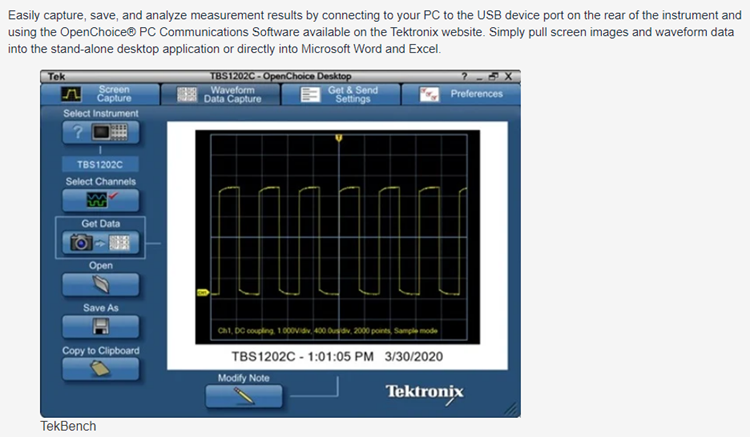
Easily capture, save, and analyze measurement results by connecting a PC to the USB device port on the rear of the instrument and using the OpenChoice® PC Communications Software on the Tektronix website. Users can simply pull screen images and waveform data into the stand-alone desktop application or directly into Microsoft Word and Excel.